You don’t need a massive room or a five-figure budget to build a small gaming desk setup that looks straight out of a YouTube room tour. In fact, some of the most creative, stylish, and functional gaming spaces are tucked into tiny apartments, college dorms, studio flats, and unused bedroom corners.
The secret lies in smart planning rather than square footage. Choosing a space-saving desk, optimizing monitor placement, managing cables neatly, and using vertical storage can make a small setup feel surprisingly spacious.
You’ll discover practical setup ideas, organization tips, lighting inspiration, budget-friendly upgrades, and common mistakes to avoid; all designed to help you maximize every inch of available space. By the end, you’ll have the knowledge and inspiration to create a small gaming desk setup that combines performance, comfort, and modern aesthetics, no matter how limited your room may be. Let’s dive in.
Small Gaming Desk Setup Essentials
| Feature | Description |
|---|---|
| Small Gaming Desk | Saves space while providing a dedicated gaming area. |
| Monitor Arm | Free desk space and improve ergonomics. |
| Desk Size | A 47–48-inch desk suits most compact setups. |
| L-Shaped Desk | Great for maximizing corner spaces. |
| Gaming Chair | Supports proper posture during long sessions. |
| Cable Management | Keeps wires hidden for a cleaner look. |
| RGB Lighting | Adds ambiance without taking up space. |
| Bias Lighting | Reduces eye strain and enhances visuals. |
| Floating Shelves | Increase storage without using floor space. |
| Pegboard | Organizes accessories and gaming gear. |
| Headphone Hook | Keeps headphones off the desk surface. |
| XXL Mouse Pad | Creates a clean, unified workspace. |
| Wireless Peripherals | Reduce cable clutter and improve flexibility. |
| Compact Speakers | Save desk space while delivering quality sound. |
| USB Hub | Makes connecting multiple devices easier. |
| Vertical Storage | Maximizes wall space for organization. |
| Color Scheme | Stick to 2–3 matching colors for a professional look. |
| Monitor Size | 24–27-inch monitors work best in small rooms. |
| Dual Monitor Mount | Holds two monitors while saving desk space. |
| Under-Desk Tray | Hides cables and power strips neatly. |
| Desk Organization | Keep only essential items on the desktop. |
| Decorative Items | Add a few plants or collectibles without overcrowding. |
| Natural Lighting | Makes the room feel brighter and more spacious. |
| Regular Cleaning | Prevents dust and maintains a premium appearance. |
| Budget Upgrades | Focus on ergonomic and organizational improvements first. |
Why Small Gaming Desks Are Actually an Advantage?
Here’s something most people get wrong: bigger isn’t always better when it comes to gaming spaces. A compact setup forces you to be intentional; every item earns its spot. The result? A cleaner, more focused environment that actually improves your gaming performance.
Choosing the Right Desk for a Small Gaming Room
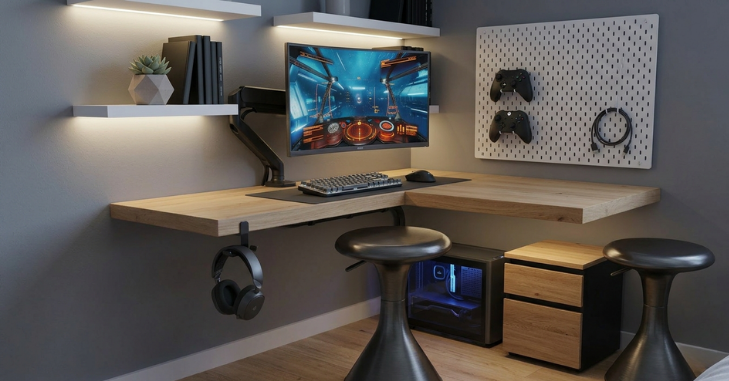
Size Matters; But So Does Shape
Before buying anything else, your desk is the foundation of any small gaming setup. A poor desk choice in a small room creates problems that no amount of accessories can fix.
Best desk dimensions for small spaces
- Compact rectangular desks: 40–48 inches wide, ideal for single-monitor setups
- L-shaped corner desks: Use dead corner space; great for dual-monitor or hybrid work/gaming setups
- Wall-mounted fold-down desks: Zero floor footprint when not in use: a game changer for micro rooms
Pro Tip: An L-shaped desk in a corner can give you almost double the surface area without taking up additional floor space. Measure your corner diagonally before buying.
Desk Material & Style
| Desk Type | Best For | Price Range | Space Efficiency |
| Floating/Wall-Mounted | Micro rooms, minimalists | $50–$200 | ⭐⭐⭐⭐⭐ |
| L-Shaped Corner Desk | Dual monitors, streamers | $120–$500 | ⭐⭐⭐⭐ |
| Compact Rectangular | Single-screen setups | $80–$300 | ⭐⭐⭐ |
| Standing Desk (small) | Health-conscious gamers | $200–$600 | ⭐⭐⭐ |
The Best Small Gaming Desk Setup Ideas
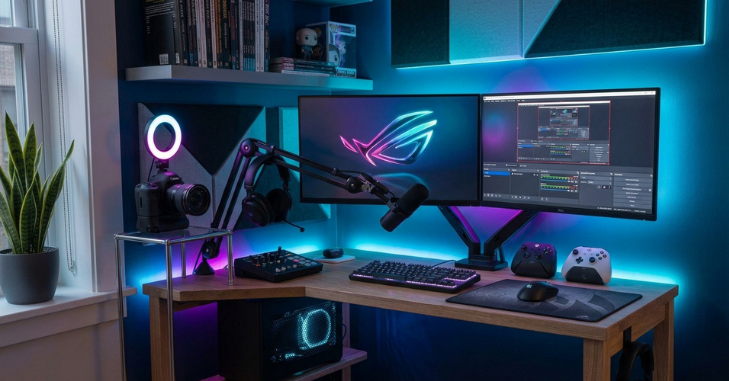
1. The Floating Monitor Arm Setup
A monitor arm is one of the easiest and most affordable upgrades for a small gaming desk setup. It lifts your monitor off the desk, freeing up valuable workspace while improving ergonomics and giving your setup a cleaner, more professional appearance. There is more on this in Simplifying Fleet and Personal Automotive Maintenance for the Busy Urban Professional.
Most monitor arms support displays up to 32 inches and can reclaim 6–12 inches of usable desk space. Budget-friendly options like the Amazon Basics Single Monitor Arm or VIVO Single Monitor Arm offer excellent adjustability and value for under $40.
2. The Vertical Storage System
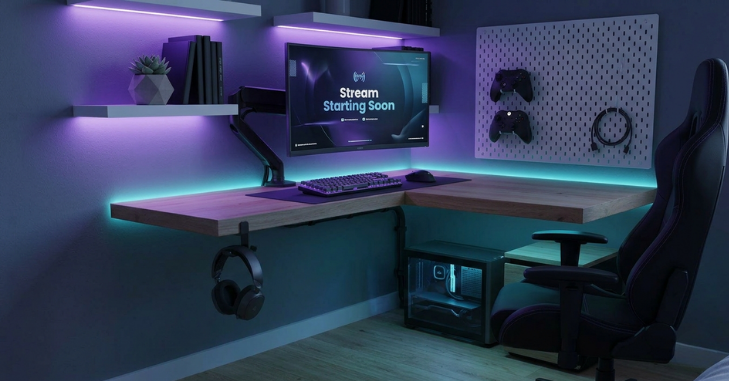
When desk space is limited, use your walls for extra storage. Install a pegboard, add hooks for headphones and controllers, mount a few floating shelves for consoles or décor, and use wall cable clips to keep wires neatly hidden.
This approach keeps your desk organized while making the room feel more spacious. Before mounting shelves or accessories, check your wall type and use the correct anchors to ensure everything is securely supported.
3. The Dual Monitor Corner Build
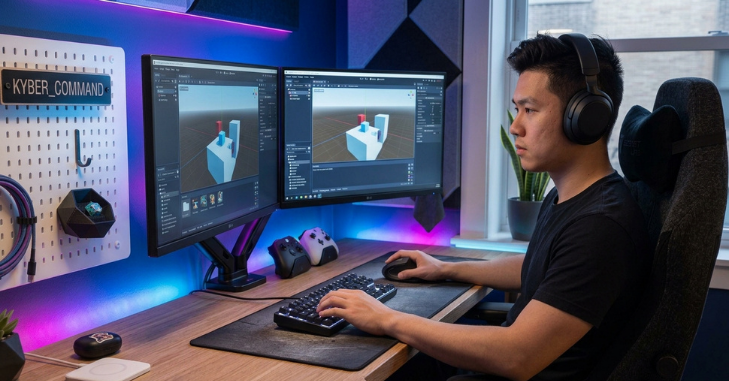
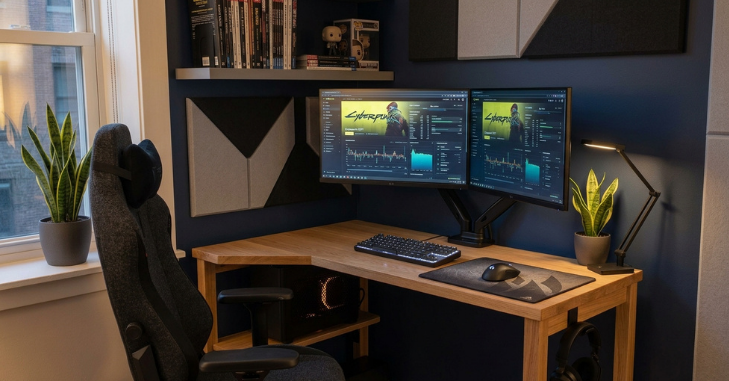
Two monitors in a small room sound like an impossible idea. It’s not; it just requires a bit more planning. The key is depth management. Instead of placing both monitors side by side on a flat desk, use a corner desk with a dual-monitor arm that allows one screen to sit slightly behind and above the other.
4. The Minimalist One-Monitor Setup
Sometimes less is genuine. A single ultra-wide monitor (34 inches, 21:9 ratio) in a small room can replace two monitors entirely, giving you the screen real estate without the bulk.
This setup works especially well for
- FPS and competitive gamers who need maximum focus
- Streamers who use one screen for gameplay and overlay their stream feed
- Small desk owners who want a clean, uncluttered aesthetic
Pro Tip: Pair a 34-inch ultrawide with a monitor arm and a wireless keyboard/mouse combo; your desk will look insanely clean.
5. The Under-Desk Cable Management Build
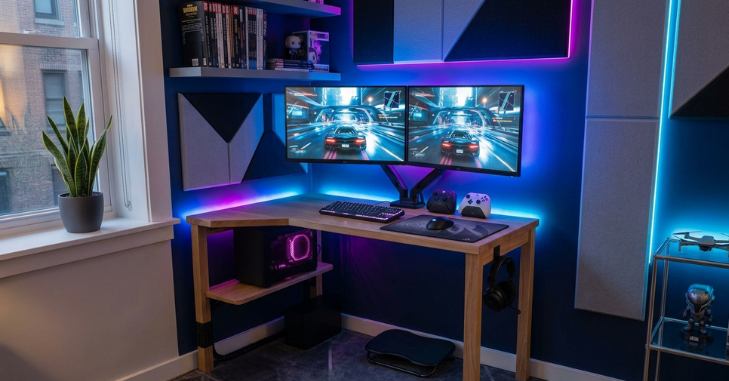
Messy cables can make even the best small gaming desk setup look cluttered. Install an under-desk cable management tray, secure wires with reusable Velcro ties, use shorter cables whenever possible, and keep power strips off the floor.
Labeling cables also makes future upgrades much easier and keeps everything organized. A J Channel Cable Raceway is an affordable solution that neatly conceals cables along desk legs and walls while giving your setup a clean, professional finish.
6. The RGB Lighting Setup for Atmosphere
Lighting does more for a small gaming room than anything else. It makes the space feel intentional, immersive, and professionally designed.
Lighting layers for a small gaming setup
- Bias lighting (behind monitor): Reduces eye strain and adds depth.
- LED strips under the desk: Creates a floating desk illusion
- Smart bulbs overhead: Set to warm/cool based on gaming vs. work mode
- Mouse pad with RGB: Adds color without taking up extra space.
Important: Don’t overdo the RGB. A few well-placed light sources look premium. Every surface glowing in five colors looks like a 2015 gaming YouTube video.
Key Takeaways: Small Gaming Desk Setup Essentials
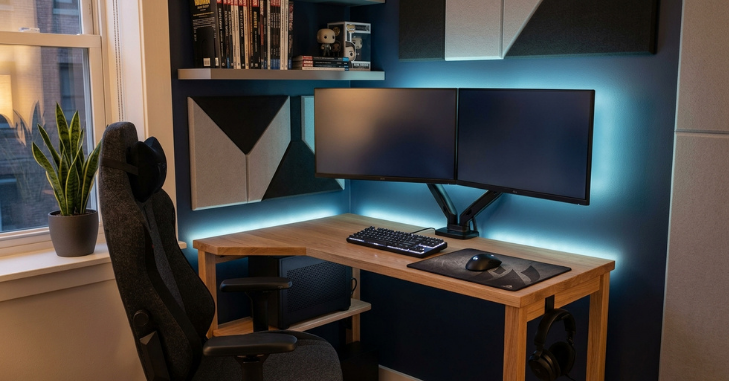
A professional-looking small gaming setup starts with smart space management. Use a monitor arm instead of a standard stand to free up desk space, keep cables neatly organized, and take advantage of vertical storage like shelves or pegboards.
Add ambient lighting behind your monitor for a modern look; choose wireless peripherals if your budget allows; stick to a 2–3-color theme for a clean aesthetic; and use a headphone stand or an under-desk hook to keep your desktop clutter-free.
Budget Breakdown: Building a Small Gaming Setup at Every Price Point
| Budget | What to Prioritize | What to Skip |
| Under $500 | Good chair, 24” monitor, basic desk | RGB everything |
| $500–$1,000 | Monitor arm, proper desk, mechanical keyboard | Dual monitors |
| $1,000–$2,000 | Ultrawide or dual setup, quality audio, LED lighting | Unnecessary accessories |
| $2,000+ | Standing desk, premium peripherals, acoustic panels | Nothing; go wild |
Common Mistakes to Avoid in a Small Gaming Desk Setup
Even experienced builders get these wrong
- Buying a desk that’s too big: a crowded desk in a small room feels worse than a smaller desk with breathing room
- Ignoring chair ergonomics: you’ll spend hours in it; don’t cheap out.
- Buying a full tower PC: a mid-tower or small form factor build saves enormous desk/floor space
- Skipping cable management: it takes 30 minutes and transforms how the entire setup looks.
- Overdoing the RGB: a little goes a long way.
Conclusion
A small gaming desk setup isn’t a limitation; it’s an opportunity to create a smart, efficient, and stylish gaming space. With the right desk layout, a monitor arm, effective cable management, vertical storage, and carefully chosen lighting, even the smallest room can feel organized, comfortable, and professional. There is more on this in Small Bathroom Ideas.
Remember, you don’t need the biggest desk or the most expensive equipment to build an impressive setup. Thoughtful organization, ergonomic accessories, and a consistent color scheme often have a greater impact than costly upgrades. Start with the essentials, improve your setup over time, and invest in changes that maximize both comfort and performance.
The best gaming setup isn’t the largest one; it’s the one that inspires you to sit down, play, create, and enjoy every session. Even if your entire setup fits neatly into a single corner, it can still deliver a premium gaming experience when every inch is used wisely.
Want to know about 1440p Resolution Guide: What It Is, How It Compares to 1080p and 4K (2160p), Performance Differences, and Why It’s So Popular Check out our Tech category.
Frequently Asked Questions (FAQs)
For most single-monitor setups, a 47–48-inch desk is the sweet spot. It gives you room for peripherals without overwhelming a small space. If you have a corner available, an L-shaped desk in the 50–55 inch range is even better.
Yes, with the right approach. Use a corner desk and a dual monitor arm to stack or angle your screens. Avoid placing two large monitors side by side on a flat desk in a small room; it almost always feels cramped.
A professional small gaming desk setup is all about organization. Use a monitor arm, hide your cables, stick to a consistent color scheme, and add subtle lighting. A clean, organized setup often looks more premium than an expensive but cluttered one.
A monitor arm is the best upgrade for any small gaming desk setup. It saves desk space, improves ergonomics, and instantly gives your setup a cleaner, more professional look.