The PlayStation 5 console delivers an exceptional gaming experience with its powerful hardware and ultra-fast SSD, but managing PS5 Storage has become an important concern for many users. With modern games growing larger and more complex, the available storage space can quickly fill up, limiting how many titles you can install at once.
Understanding PS5 Storage capacity, expansion options, compatible devices, and effective management strategies is essential for maintaining smooth performance and uninterrupted gameplay. This guide provides a complete overview of everything you need to know, from upgrading storage and choosing the right SSD to using external drives and fixing common storage-related issues.
| Category | Key Details |
| Internal Storage | 825GB SSD (≈667GB usable), required for PS5 games, ultra-fast loading |
| Storage Expansion (M.2 SSD) | PCIe Gen4 NVMe SSD, ≥5,500MB/s speed, heatsink recommended |
| External HDD/SSD | USB 3.0+ support, stores PS5 games, runs PS4 games directly |
| Cloud Storage | PlayStation Plus features save game data online. |
| Why Storage Fills Fast | Large game sizes, updates/DLC, 4K textures, multiple installs, captures. |
| Upgrade Process | Install SSD in expansion slot → insert → format → ready to use |
| Compatible SSDs | High-speed NVMe drives (1TB–4TB) must meet Sony specs. |
| External Drive Choice | HDD = cheaper storage, SSD = faster transfers |
| Common Issues | Full storage, slow transfer, SSD not detected (fix via cleanup/update) |
| Best Practice | Combine SSD upgrade, external storage, and regular cleanup. |
PS5 Storage Capacity
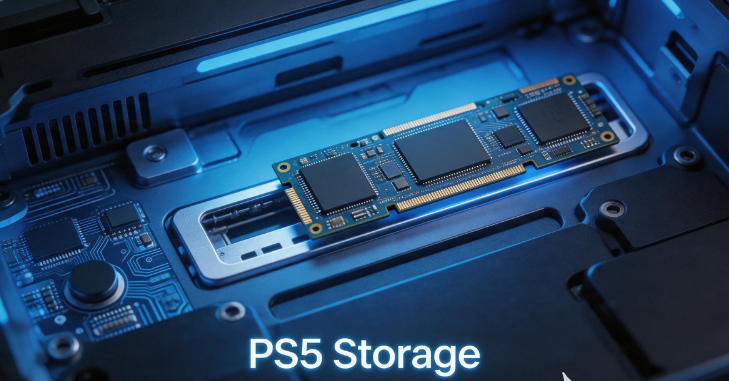
The PS5 Storage comes with an 825GB internal SSD, but the usable space available to users is actually around 667GB after accounting for system software. This means that only a handful of large games can be installed at any given time. Titles like open-world RPGs and high-resolution shooters can take up a significant portion of this space, leaving little room for additional downloads.
The PS5 Storage system is specifically engineered for speed, allowing games to load almost instantly and enabling developers to create more detailed and expansive game worlds. However, because of its specialized design, upgrading this storage requires careful selection of compatible hardware.
Why PS5 Storage Fills Up Quickly?
- The increasing size of modern games, with 4K textures and advanced graphics, takes up a large amount of storage space.
- The base game files themselves are often very large and consume significant storage on the PS5.
- Regular updates, patches, and downloadable content add even more data over time.
- Many players keep multiple games installed at once, which quickly fills up storage space.
- Digital game libraries are growing rapidly, making it easier to run out of space.
- Storage can fill up without users even realizing it due to background downloads and updates.
- Captured gameplay videos take up a considerable amount of storage space.
- Screenshots and saved game data also contribute to overall storage usage.
Types of Storage You Can Use on PS5
Internal SSD (Primary Storage)
The PlayStation 5 console supports multiple types of storage solutions, each serving a different purpose. The primary storage is the internal SSD, which is required for playing PS5 games. However, users can expand storage by installing compatible M.2 SSDs inside the console. These SSDs must meet specific speed and size requirements to ensure optimal performance.
External Storage Devices
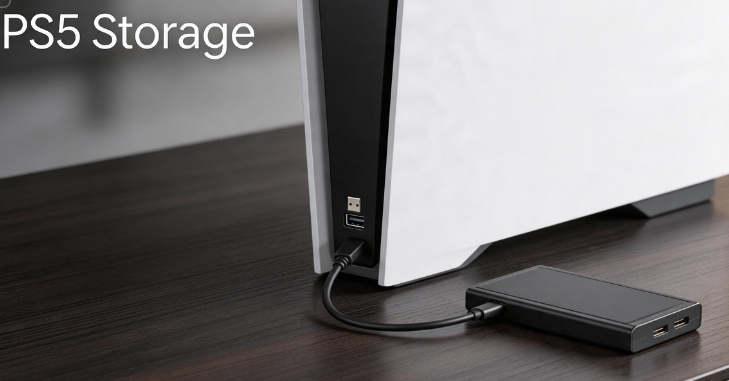
External storage devices, such as USB hard drives and SSDs, are also supported. While these cannot run PS5 games directly, they can store them for easy transfer. Additionally, PS4 games can be played directly from external storage, making it a practical option for players with large backward-compatible libraries.
Cloud Storage Option
Cloud storage is another option available to PlayStation Plus subscribers. This allows game saves and certain data to be stored online, freeing up space on the console itself.
How to Upgrade PS5 Storage Easily?
Upgrading PS5 storage may sound complicated, but it is actually a straightforward process when done correctly. The console includes an M.2 SSD expansion slot. To begin, users need to ensure they have a compatible SSD that meets Sony’s requirements, including a minimum read speed of 5,500MB/s.
The installation process involves turning off the console, removing the side panel, and accessing the SSD slot. Once the SSD is inserted and secured, the console will prompt the user to format the drive. After formatting, the new storage becomes available for game installations.
It is recommended to use a heatsink with the SSD to help maintain optimal temperatures during extended gaming sessions. Proper installation ensures that the added storage performs just as efficiently as the built-in SSD.
Compatible SSDs for PS5 Expansion
- Not all SSDs are compatible with the PlayStation 5, so choosing the right one is very important.
- High-performance NVMe M.2 SSDs from trusted brands are generally recommended for the best results.
- These SSDs are specifically designed to meet the speed and performance demands of next-generation gaming.
- When selecting an SSD, users should carefully consider factors such as read and write speed.
- Storage capacity is another important factor, with options typically ranging from 1 TB to 4 TB.
- Thermal management, such as having a proper heatsink, is essential to maintain performance.
- Investing in a reliable SSD helps ensure long-term performance and smoother gameplay.
- A good-quality SSD also reduces the risk of overheating and performance slowdowns.
Best External Hard Drives for PS5
External Hard Drives for PS5 Storage
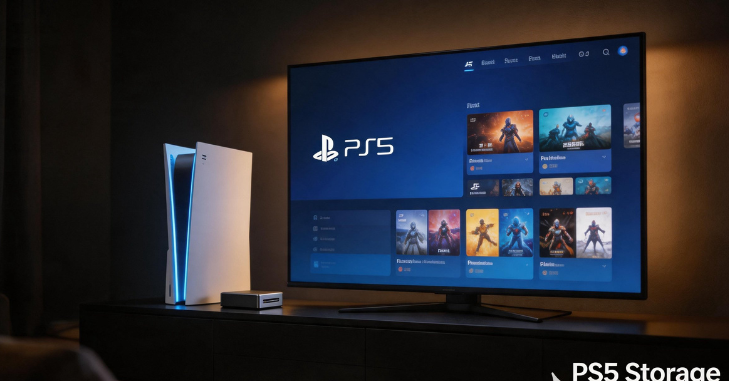
External hard drives remain one of the most affordable and convenient ways to expand storage on the PlayStation 5 console. These devices connect via USB and provide additional space for storing games, especially PS4 titles. While they do not offer the same speed as internal SSDs, they are ideal for archiving games that are not currently being played.
External SSDs for Faster Performance
External SSDs, on the other hand, offer faster data transfer speeds compared to traditional hard drives. This makes them a better option for users who frequently move games between storage devices. Many well-known brands offer reliable external storage solutions that are fully compatible with the PS5.
Choosing the Right External Storage
Choosing the right external drive depends on individual needs. For example, players who prioritize speed may prefer an external SSD, while those looking for maximum storage at a lower cost may opt for a traditional hard drive.
PS5 Storage Requirements and Specifications
Sony has set specific requirements for storage devices to ensure optimal performance. For internal SSD upgrades, the drive must be a PCIe Gen4 x4 M.2 NVMe SSD with sufficient speed and proper dimensions to fit داخل the console. Additionally, a heatsink is strongly recommended to prevent overheating.
External drives must support USB 3.0 or higher to function properly with the PS5. While slower drives may still work, they will not deliver the best performance. Ensuring that your storage device meets these requirements is essential for a smooth gaming experience.
Common PS5 Storage Issues and Fixes
- Some users may encounter storage-related issues, such as insufficient space errors or slow transfer speeds. These problems can often be resolved by clearing unnecessary files, rebuilding the database, or ensuring that storage devices are properly connected.
- When an SSD is not recognized, checking compatibility and the installation process is important. Updating the system software can also resolve many common issues. Proper maintenance and careful selection of storage devices can prevent most problems.
PS5 Storage Management and Performance Optimization
Efficient PS5 storage management is essential for maintaining fast load times and smooth gameplay performance, especially as game file sizes continue to grow with updates, expansions, and high-resolution textures. Regularly checking available space, deleting unused titles, and transferring less-played PS5 games to external storage can help free up valuable internal SSD capacity without losing progress.
For optimal performance, it is recommended to keep frequently played games installed on the internal NVMe SSD, while older PS4 titles or archived games can be safely stored on an external drive. Additionally, rebuilding the PS5 database through safe mode can help organize stored data more efficiently and improve system responsiveness.
Conclusion
Managing PS5 Storage effectively is essential for getting the most out of your gaming experience. With limited internal space and increasingly large game files, players must rely on a combination of internal SSD upgrades, external storage solutions, and smart storage management practices.
By understanding the different types of storage available, choosing compatible devices, and following proper installation and maintenance steps, users can ensure optimal performance and long-term reliability. Whether you are a casual gamer or a dedicated enthusiast, having the right storage setup lets you enjoy your PS5 without constant interruptions or limitations.
Want to know about Logitech G920 Complete Guide: Setup, Features, Performance Comparison, Pros & Cons, and Best Games to Play Check out our Tech category.
FAQs
The PlayStation 5 features an internal custom 825 GB SSD (or 1 TB in newer “Slim” models), but only 667 GB is usable for game installations due to system files. The system includes an M.2 SSD slot for up to 8 TB of storage.
Though the refreshed PS5 says it comes with 825GB on the box, Evan found that the console only has 667.2GB of usable storage due to the operating system and other apps included. Meanwhile, the older, digital-only version of the console with a 1TB SSD has 848GB of usable storage.
Upgrade the storage capacity of your PS5™ console to 8TB by installing a compatible M.2 solid-state drive. You can now play your PS5 and PS4™ games and media apps directly from the high-speed SSD expansion, which you can also use to store, download, and manage this content.
The original PlayStation 5 (PS5) features an 825GB SSD. The updated “Slim” models, released in late 2023, increased this capacity to 1 TB. Actual usable storage is lower than the total capacity because the system’s operating system uses a portion of the drive.