

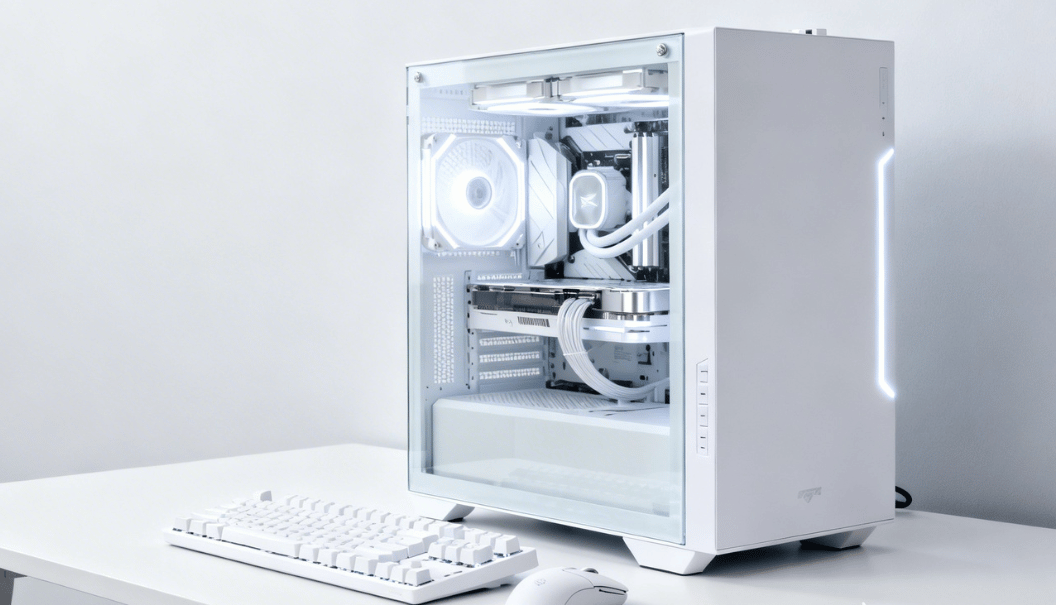
A white PC embodies sophistication and versatility, offering a sleek and timeless look that complements virtually any environment. Unlike darker cases, white builds reflect light beautifully, making RGB lighting, custom cooling loops, and internal components stand out with subtle elegance.
They are not only visually appealing but also highly functional, often designed for quiet operation, efficient airflow, and modular layouts that make installation and upgrades easier. White PCs naturally draw attention to clean cable management and organized interiors, encouraging builders to maintain a tidy and efficient system.
They are especially favored by creators, streamers, and professionals, as their bright, neutral tone enhances video or photo presentations and creates a polished on-camera appearance. Furthermore, white builds offer endless customization options, from matching peripherals to complementary desk setups.
| Topic | Key Points |
| Overview | Sleek, modern, versatile; highlights RGB and components; quiet and functional. |
| Types | Gaming: RGB, high-end GPU, liquid cooling. Office: quiet, minimal RGB, compact. Creator: strong CPU/GPU, high RAM, professional tasks. |
| Components | White case, motherboard, GPU, RAM, cooling, PSU & cables; clean cable management. |
| Performance | Depends on CPU, GPU, RAM, storage; color does not affect speed. |
| Advantages | Stylish, modern, RGB pops, unique setup, professional look. |
| Disadvantages | Shows dust, may be yellow, sometimes pricier, limited stock. |
| Maintenance | Dust every few weeks, clean filters monthly, avoid smoke, and control humidity. |
| Setup Ideas | Minimalist white, RGB gamer, professional creator. |
What Is a White PC?
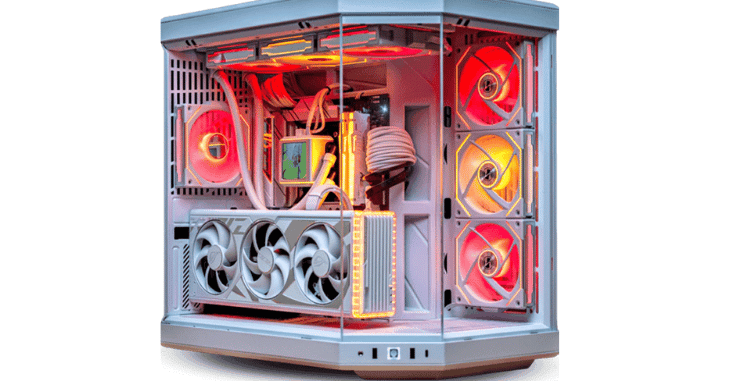
It is more than just a color choice; it’s a statement of style, elegance, and functionality. Its bright, neutral finish creates a clean and modern aesthetic that instantly elevates any workspace or gaming setup. White cases tend to highlight RGB lighting and internal components, making the build visually striking without being overwhelming.
Beyond looks, many PCs are designed with quiet operation, efficient airflow, and compact layouts, providing both performance and practicality. They seamlessly blend with minimalist or contemporary interiors, making them ideal for professionals like designers, writers, architects, and content creators.
Additionally, the color white encourages regular maintenance, as dust and fingerprints are easily visible, helping keep the system pristine and long-lasting. Overall, a PC perfectly balances style, functionality, and customization potential, appealing to both gamers and professionals.
Why White PCs Are So Popular?
It strongly appeals to those who appreciate a minimalist aesthetic. The color white symbolizes cleanliness, simplicity, and modern design, making it an ideal choice for individuals who prefer uncluttered and organized spaces.
In minimalist room setups, where neutral tones and simple layouts dominate, a PC blends seamlessly without overpowering the environment. It enhances the overall look of the workspace while maintaining a calm and balanced atmosphere.
The popularity of PCs has also grown alongside setup culture. With the rise of gaming room photography, streaming platforms, and social media content creation, visual presentation has become increasingly important.
Types of White PCs
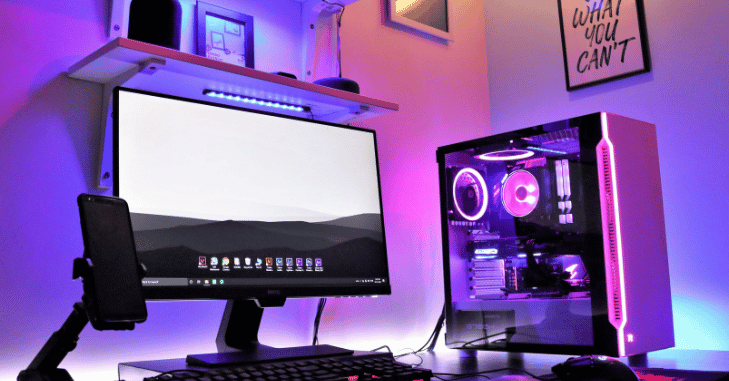
Gaming PC
- Designed for high performance and impressive visuals.
- Equipped with a high-end GPU for smooth gameplay at high resolutions.
- Includes RGB fans and lighting for a vibrant aesthetic.
- Features a tempered glass case to showcase internal components.
- Often uses liquid cooling for better thermal performance during long gaming sessions.
Office PC
- Focused on a clean, professional, and subtle appearance.
- Uses minimal or no RGB lighting for a distraction-free environment.
- Built with silent cooling systems for quiet operation.
- Typically housed in a compact case to save desk space.
- Ideal for productivity tasks, browsing, and office applications.
Content Creator PC
- Optimized for demanding tasks like video editing, 3D rendering, streaming, and graphic design.
- Powered by a strong multicore CPU for heavy workloads.
- Includes high-capacity RAM to handle multitasking and large files.
- Features a powerful GPU for rendering and creative software acceleration.
- Designed to deliver both performance and a visually appealing setup.
Key Components of a White PC
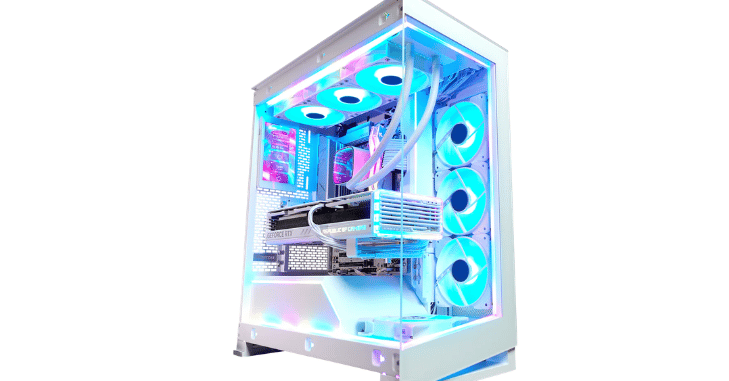
PC Case
White Motherboard
White-themed motherboards usually feature PCB accents, silver or white heatsinks, and decorative shrouds that match the overall theme. Some models also include subtle RGB lighting that complements the clean design.
White Graphics Card
White GPUs are highly demanded and sometimes cost more due to limited production and higher aesthetic appeal. They typically include a white shroud, white or silver backplate, and often integrated RGB lighting for enhanced visual impact.
White RAM
White RAM modules feature white heat spreaders and frequently include customizable RGB lighting. They are available in various speeds and capacities, including modern DDR4 and DDR5 options. When installed in a system with a glass side panel, white RAM contributes significantly to the clean and organized appearance of the build.
Cooling System
Air cooling includes white CPU coolers and white fans, which are affordable and reliable.
Liquid cooling includes a white radiator, a white pump housing, and RGB fans. Liquid cooling provides a premium look and strong performance for high-end CPUs.
White Power Supply and Cables
Most power supplies are black, but you can use white sleeved cables or cable extensions. Cable management is very important in white builds because messy cables are highly visible.
Performance Considerations
Color does not affect a computer’s performance in any way. The external appearance of a PC, whether it is white, black, or any other color, has no impact on how fast or efficiently it operates. What truly determines performance are the internal components such as the CPU, GPU, RAM, storage type and speed, cooling system, and the quality of the power supply.
These hardware elements control processing power, graphics capabilities, multitasking, data transfer speed, temperature management, and overall system stability. A PC can therefore be configured as an entry-level system for basic tasks, a mid-range machine for smooth everyday use and gaming, a high-end setup for demanding applications, or even an ultra-performance workstation for professional workloads.
White PC vs Black PC

- It offers a clean, modern look, while the black PC offers a classic, aggressive style.
- RGB lighting appears brighter and more vibrant on white builds, while it looks more subtle on black builds.
- Dust and dirt are more visible on white surfaces than on black ones.
- White components can sometimes cost slightly more than standard black versions.
Advantages of a White PC
- Stunning visual appeal
White builds look premium and stylish. - Better RGB glow
Light reflects well on white surfaces. - Unique setup identity
Stand out from traditional black builds. - Modern and professional
Great for home offices and studios.
Disadvantages of a White PC
- Shows dust easily
White surfaces reveal dirt faster. - May yellow over time
Lower-quality plastic can discolor. - Sometimes more expensive
White versions may cost slightly more. - Limited stock
Certain components may be harder to find in white.
Cost of Building a White PC
Prices vary by performance level and the type of components selected. A budget PC is generally suitable for office work, web browsing, online classes, and light gaming at lower settings. These systems typically include an entry-level processor, integrated or basic graphics, and moderate RAM capacity.
A mid-range white build is more powerful and supports smooth gaming at 1080p or 1440p, as well as multitasking and moderate content creation. High-end systems are designed for demanding workloads such as 4K gaming, professional video editing, 3D rendering, and streaming.
These builds usually feature top-tier CPUs, advanced graphics cards, high-speed RAM, and efficient cooling solutions. Premium showcase builds go a step further by focusing on both extreme performance and aesthetics, often featuring custom liquid-cooling loops.
How to Build a White PC?

| 1 | Choose a PC case. Plan your build carefully before purchasing parts to ensure proper color matching. |
| 2 | Install the motherboard. Align it with standoffs and secure with screws. |
| 3 | Install the CPU and cooler. Apply thermal paste if needed and mount the cooler properly. |
| 4 | Insert RAM. Make sure it clicks into the correct slots for dual-channel configuration. |
| 5 | Mount storage (SSD/HDD). Connect data and power cables securely. |
| 6 | Install GPU. Insert into the PCIe slot and secure with screws. |
| 7 | Connect power supply cables. Ensure all connections are properly seated. |
| 8 | Manage cables neatly. Use zip ties or Velcro straps to keep airflow unobstructed. |
| 9 | Install the operating system. Follow standard installation procedures. |
| 10 | Configure RGB lighting. Use motherboard or software controls for effects. |
Maintenance Tips
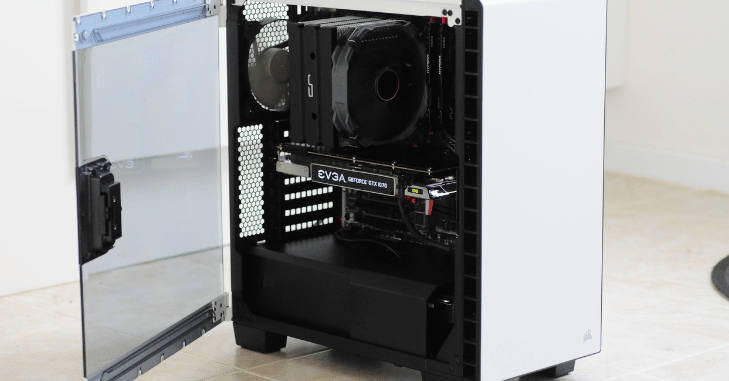
Because dust is highly visible on a PC case, regular cleaning is essential to maintain both aesthetics and performance. Use compressed air to gently blow dust out of the case, fans, heatsinks, and other components every few weeks. Dust filters should be removed and cleaned at least once a month to prevent clogging and maintain optimal airflow.
Avoid smoking near the PC, as nicotine and smoke particles can settle on surfaces, causing yellowing and discoloration over time. Additionally, keeping the room’s humidity at a moderate level helps reduce dust accumulation and prevents moisture-related damage to sensitive components.
Best White Setup Ideas
- Minimalist White Setup – White desk, keyboard, mouse, and soft LED lighting for a clean and simple aesthetic.
- RGB Gamer Setup – Colorful RGB lighting with coordinated accessories for a vibrant gaming environment.
- Professional Creator Setup – Dual monitors, neatly routed cables, and neutral lighting optimized for productivity and content creation.
White PC for Gaming
- A white gaming PC can support 1080p, 1440p, and 4K gaming, depending on the hardware.
- Performance depends on the GPU and CPU, not the case color.
- White builds are popular among streamers because they look visually striking on camera.
- White cases often make RGB lighting stand out more, enhancing aesthetics.
- They are easier to spot dust and dirt, encouraging regular cleaning and maintenance.
- White builds can complement minimalist or modern desk setups, matching peripherals and décor.
- They are highly customizable, allowing for color-coordinated components and accessories.
White PC for Office and Productivity
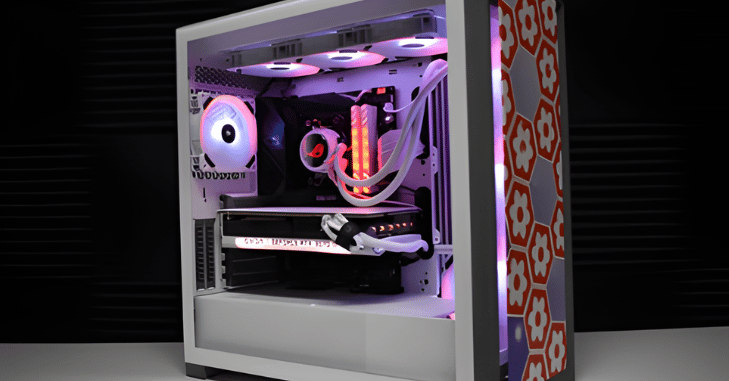
It provides a clean and professional look that enhances any workspace, while often featuring quiet operation and compact designs that save desk space. Their neutral color allows them to blend seamlessly with modern interiors, minimalist setups, and light-colored furniture.
These builds are particularly ideal for designers, writers, architects, and remote workers, as they create a visually pleasing environment that reduces distractions and promotes focus. Additionally, white cases often make LED, or RGB lighting, pop subtly, allowing users to add aesthetic touches without overwhelming the workspace.
Conclusion
It builds are the perfect fusion of style, functionality, and customization. They offer a sleek, modern aesthetic that highlights RGB lighting, cooling systems, and internal components while maintaining a professional and organized appearance. Beyond their visual appeal, PCs are designed for efficient airflow and quiet operation.
Whether configured for high-end gaming, productivity, or creative workflows, white builds provide endless possibilities for personalization, ensuring a setup that is not only powerful but also visually striking. With proper maintenance and thoughtful component selection, a white PC can remain pristine, high-performing, and timeless.
Want to know about NAVIDA GeForce RTX 4060 Ti 16 GB: High-Performance Graphics Card with Advanced Ray Tracing, Future-Ready Gaming, and Creative Capabilities Check out our Tech category.
FAQs
No, performance depends on components like the CPU, GPU, RAM, and storage, not the case color.
White builds reflect light and highlight RGB components, creating a polished on-camera look.
Dust every few weeks with compressed air, and clean filters monthly to maintain aesthetics and airflow.
Yes, white surfaces make RGB lighting appear brighter and more vibrant, enhancing the overall setup.
White versions of GPUs, RAM, or cases can cost slightly more and may have limited stock compared to standard black components.
Absolutely. Their neutral color, compact layouts, and clean design make them ideal for minimalist desks, home offices, and small rooms.

