
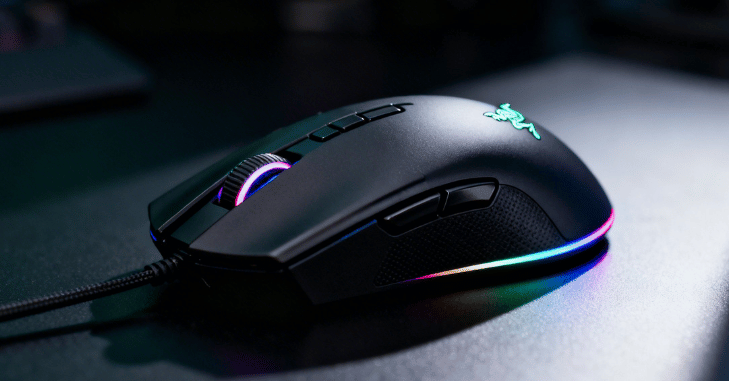
Razer designs the Razer Basilisk V3 as a premium wired gaming mouse that delivers a powerful combination of precision, comfort, and advanced customization for modern gamers. It builds on the legacy of the Basilisk lineup by offering an ergonomic right-handed design that fits naturally in the hand, making it ideal for long gaming sessions without causing fatigue.
What makes it stand out in the competitive gaming mouse market is its feature-rich approach, including a high-precision optical sensor for accurate tracking, an intelligent HyperScroll tilt wheel for versatile scrolling control, and a wide range of programmable buttons that allow users to tailor the mouse to their exact playstyle.
With vibrant 11-zone RGB lighting powered through Razer Synapse and durable optical switches built for long-term performance, the Basilisk V3 is not just a gaming accessory but a complete tool for both competitive gameplay and everyday productivity.
| Category | Details |
| Product | Razer Basilisk V3 |
| Brand | Razer |
| Type | Wired gaming mouse |
| Design | Ergonomic right-handed shape with thumb rest |
| Grip Support | Palm, claw, hybrid grips |
| Sensor | Up to 26,000 DPI precision optical sensor |
| Buttons | 11 fully programmable buttons |
| Scroll Wheel | HyperScroll tilt wheel (tactile, free-spin, smart mode) |
| Switches | Optical switches, fast and durable (70M clicks) |
| RGB Lighting | 11-zone customizable RGB via Razer Synapse |
| Build | Matte finish, rubber side grips, PTFE feet |
| Performance | High accuracy for FPS, MMO, and productivity tasks |
| Customization | Macros, DPI control, button remapping, profiles |
| Onboard Memory | Saves settings directly on the mouse |
| Durability | Long-lasting design with wear-resistant materials |
| Connectivity | Wired with flexible low-drag cable |
| Strengths | Precision, comfort, customization, advanced scroll wheel |
| Weaknesses | Wired only, slightly heavy |
| Best Use | Gaming + productivity + long sessions |
Razer Basilisk V3
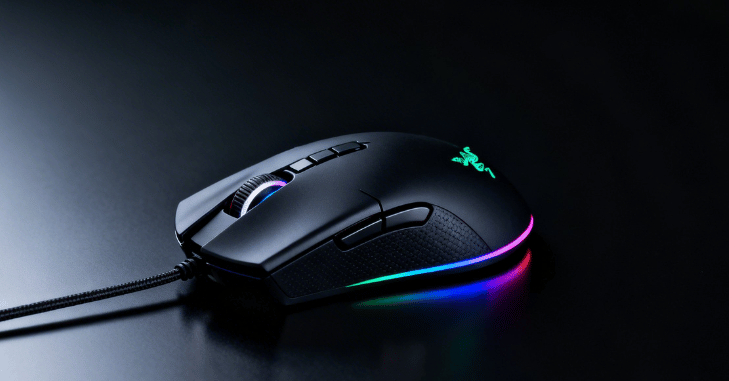
The Razer Basilisk V3 is a highly refined gaming mouse designed to deliver a perfect balance of performance, comfort, and customization for both competitive gamers and everyday users. Built by Razer, it combines an ergonomic right-handed shape with a sculpted thumb rest that naturally supports the hand, reducing fatigue during long gaming or work sessions.
At its core, it features a powerful, high-precision optical sensor capable of delivering extremely accurate tracking, making it ideal for fast-paced FPS games as well as detailed creative or productivity tasks. One of its most distinctive innovations is the intelligent HyperScroll tilt wheel, which can switch between tactile and free-spin scrolling, offering both precise control and rapid navigation when needed.
The mouse also includes 11 programmable buttons, allowing users to assign complex macros, shortcuts, or in-game commands for a fully personalized experience. Its second-generation optical switches ensure fast response times, crisp clicks, and exceptional durability, eliminating common issues like double-clicking while maintaining long-term reliability.
Design Philosophy and Ergonomics
Shape and Comfort
- The Razer Basilisk V3 has a right-handed ergonomic design
- Naturally fits the shape of the hand
- Supports multiple grip styles (palm, claw, hybrid)
- Includes a comfortable thumb rest
- Reduces wrist strain during long sessions
- Feels balanced and secure during gameplay
Build Quality and Materials
- The Razer Basilisk V3 is built with high-quality matte plastic
- Resists fingerprints and offers a smooth texture
- Rubberized side grips improve control and prevent slipping
- Buttons are durable with a satisfying tactile feel
- Provides consistent movement across different surfaces
- Enhances precision and overall performance
Advanced Sensor Technology
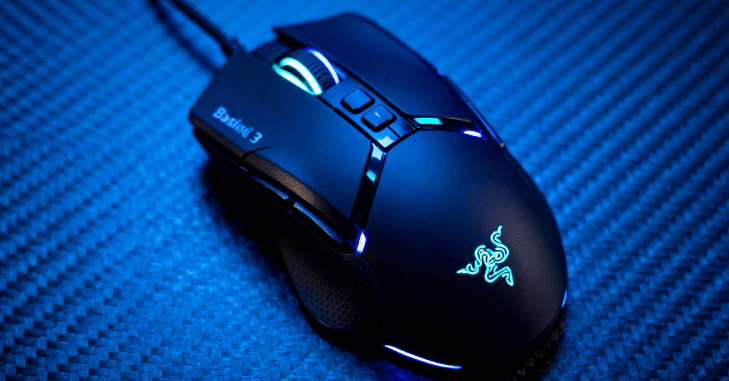
Focus+ Optical Sensor
At the heart of the Basilisk V3 is the Focus+ optical sensor, capable of reaching up to 26,000 DPI. This sensor delivers exceptional accuracy and responsiveness, allowing for precise tracking even at high speeds.
The sensor supports advanced features such as:
- Motion sync for improved tracking consistency
- Smart tracking across various surfaces
- Asymmetric cut-off for better lift-off control
- This ensures that the mouse performs reliably in competitive environments where precision is critical.
Programmable Buttons and Customization
Extensive Button Configuration
The Basilisk V3 includes 11 programmable buttons, giving users extensive control over their setup. Each button can be customized for specific actions, macros, or shortcuts. This flexibility makes the mouse highly versatile. Players assign buttons to weapon switching or grenade usage in first-person shooter games, and they configure them for complex skill rotations in massively multiplayer games.
Multi-Function Trigger
A standout feature is the multi-function paddle located near the thumb rest. This trigger can be used as a DPI clutch, temporarily lowering sensitivity for precise aiming, or reassigned to any function based on user preference.
HyperScroll Tilt Wheel Technology

Multi-Mode Scrolling
One of the most innovative aspects of the Basilisk V3 is its scroll wheel. Unlike traditional scroll wheels, it offers multiple modes:
- Tactile scrolling provides controlled and precise movement
- Free-spin mode allows rapid scrolling through long pages
- Smart-reel mode automatically switches between tactile and free-spin depending on how fast the user scrolls
Four-Directional Input
- The Razer Basilisk V3 scroll wheel supports left and right tilt inputs
- Adds additional programmable controls beyond standard buttons
- Enhances overall functionality and customization options
- Allows quick horizontal scrolling in documents and interfaces
- Especially useful for navigating spreadsheets and editing timelines
- Improves efficiency in both productivity and creative tasks
Optical Switches and Click Performance
The Razer Basilisk V3 uses advanced optical switches that operate through light-based actuation rather than traditional mechanical contact. This modern approach significantly improves both speed and durability, as it removes the physical wear and tear commonly found in standard switches.
As a result, users benefit from extremely fast actuation speeds, a reduced risk of unintended double-click issues, and an impressive lifespan of up to 70 million clicks. These switches are engineered to deliver a crisp, clean, and highly consistent clicking experience, making them ideal for precision gaming as well as reliable everyday use.
RGB Lighting System

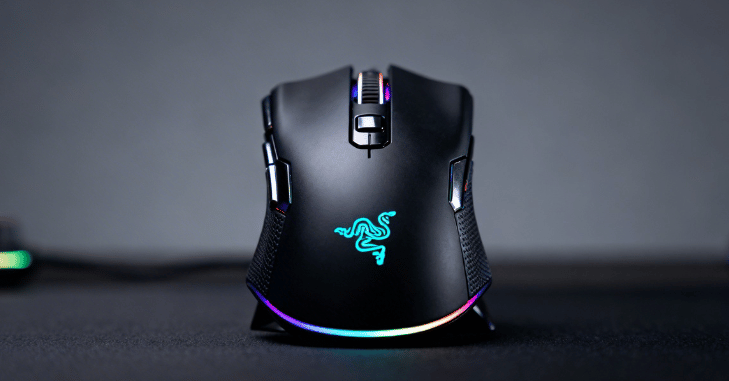
The Razer Basilisk V3 features an advanced RGB lighting system with 11 distinct zones, allowing users to fully customize the appearance of their mouse. Each lighting zone can be individually configured to display a wide spectrum of colors and dynamic effects, offering a high level of personalization.
Through integration with Razer Synapse, users can synchronize the lighting with other compatible devices to create a cohesive and visually unified setup. Additionally, the lighting system can respond dynamically to in-game events, enhancing immersion and providing a more engaging gaming experience.
The underglow lighting further elevates the mouse’s design by giving it a sleek, futuristic look, especially in low-light environments, adding strong aesthetic appeal without affecting its performance or functionality.
Software Integration and Custom Profiles
Razer Synapse Software
The Basilisk V3 is supported by Razer Synapse, which allows users to fully customize their mouse settings.
Through the software, users can:
- Remap buttons
- Create and assign macros
- Adjust DPI levels
- Customize RGB lighting
- Configure scroll wheel behavior
Onboard Memory
- The Razer Basilisk V3 supports onboard memory profiles
- Users can save their custom settings directly on the mouse
- Stored settings include DPI levels, button configurations, and macros
- Eliminates the need to reconfigure settings on different computers
- Ideal for users who frequently switch between multiple systems
- Ensures a consistent experience without relying on software installation
- Allows quick access to personalized profiles anytime, anywhere
Gaming Performance Analysis
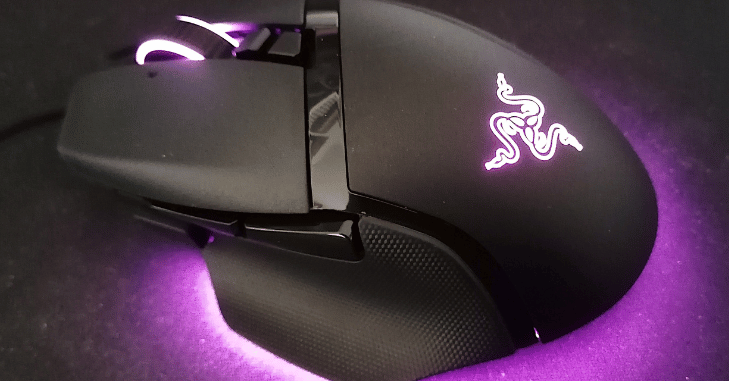
Performance in FPS Games
In fast-paced shooting games, the Basilisk V3 excels due to its precise sensor and responsive switches. The DPI clutch allows for accurate aiming during critical moments, giving players a competitive edge.
Performance in MMO and Strategy Games
The large number of programmable buttons makes it ideal for games that require multiple commands. Players can execute complex actions quickly without relying heavily on the keyboard.
Everyday Productivity
Beyond gaming, the Basilisk V3 performs exceptionally well in productivity tasks. The smart scroll wheel makes navigating documents, spreadsheets, and web pages more efficient. Customizable buttons can also streamline repetitive tasks.
Durability and Long-Term Use
The Razer Basilisk V3 is engineered with longevity as a core priority, making it a dependable choice for users who demand consistent performance over extended periods. Its outer shell is constructed from high-grade, wear-resistant plastic that not only maintains its structural integrity under heavy use but also resists surface degradation such as fading, scratches, and oil buildup from prolonged hand contact.
Internally, the mouse is reinforced with durable components, most notably its second-generation optical switches. Unlike traditional mechanical switches that rely on physical contact and are prone to wear, these optical switches use light-based actuation, significantly reducing internal friction.
Comparison with Similar Models
| Feature / Specification | Razer Basilisk V3 | Logitech G502 HERO | SteelSeries Rival 5 | Corsair M65 RGB Elite |
| Sensor DPI | Up to 26,000 DPI | Up to 25,600 DPI | Up to 18,000 DPI | Up to 18,000 DPI |
| Programmable Buttons | 11 buttons | 11 buttons | 9 buttons | 8 buttons |
| Scroll Wheel | Smart dual-mode + tilt (auto switch) | Dual-mode (manual switch) | Standard scroll | Standard scroll |
| RGB Lighting | 11-zone RGB (advanced) | Limited RGB zones | 10-zone RGB | 2-zone RGB |
| Switch Type | Optical switches (fast, durable) | Mechanical switches | Mechanical switches | Mechanical switches |
| Weight | Medium-heavy | Heavy (adjustable weights) | Lightweight-medium | Medium |
| Design | Ergonomic with thumb rest | Ergonomic with thumb rest | Lightweight ergonomic | Aluminum frame, FPS-focused |
| Cable / Connectivity | Wired | Wired (some wireless variants exist) | Wired | Wired |
| Special Feature | Smart scroll + HyperShift | Adjustable weight system | Lightweight design | Sniper button for FPS |
| Best For | All-round gaming + productivity | Custom weight & FPS/MMO mix | Lightweight gaming | FPS precision |
Advantages
The Basilisk V3 offers a wide range of benefits that make it a top choice for many users:
- Highly ergonomic design for comfort
- Extensive customization options
- Innovative scroll wheel technology
- High-precision sensor performance
- Durable optical switches
- Advanced RGB lighting system
Limitations
Despite its many strengths, the Razer Basilisk V3 does come with a few limitations that may not suit every user. Since it is a wired mouse, some users who prefer the freedom and cleaner setup of wireless devices may find it less convenient, especially for portability or minimal desk arrangements.
Additionally, its slightly heavier build compared to ultra-light gaming mice may not appeal to competitive players who prioritize extremely low weight for faster flick movements. Another consideration is that to access its full range of features, including advanced customization, RGB control, and button mapping, users need to rely on software such as Razer Synapse.
Ideal Users
The Basilisk V3 is best suited for:
- Gamers who require multiple programmable inputs
- Users who value comfort during long sessions
- Individuals who want a balance between gaming and productivity
- RGB enthusiasts looking for visually appealing peripherals
Conclusion
The Razer Basilisk V3 stands out as one of the most complete and versatile gaming mice in its category, offering an impressive blend of precision, comfort, and deep customization. Designed by Razer, it successfully balances competitive gaming performance with everyday productivity needs.
Whether used for fast-paced FPS battles, complex MMO commands, or smooth daily workflows, the Basilisk V3 consistently delivers reliable performance and ergonomic comfort. Overall, it is a powerful all-in-one solution for gamers and professionals who want long-term durability, high responsiveness, and complete personalization in a single device.
Want to know about How to Manage Unstructured Data Growth on Windows File Servers Check out our Tech category.
FAQs
It is a premium wired ergonomic gaming mouse designed for precision, comfort, and high customization in gaming and productivity tasks.
It features 11 fully programmable buttons that can be customized for macros, shortcuts, and in-game commands.
The HyperScroll tilt wheel supports tactile, free-spin, and smart automatic switching modes, along with horizontal tilt input.
Yes, its 26K DPI sensor and fast optical switches make it highly suitable for FPS and competitive gameplay.
Yes, it includes 11-zone customizable RGB lighting that can be controlled and synchronized using Razer Synapse.
Yes, it has onboard memory profiles that store DPI, macros, and button configurations directly on the device.